 Ahmed Saad
Rerunning the AI agent test: a real button, and a hidden copy of it
I turned my mailto triggers into buttons and reran the agent test. The agent filled in the project form, but a hidden copy of the button sent it the long way first.
- Issue
- #5
- Published
- Reading time
- 4 min
- Stack
- Nuxt, Nuxt UI, Claude Code, Claude in Chrome
The problem
In my first agent test, Claude Code read my services correctly but said the site had no project form. Every "Tell me about your project" trigger was a mailto link, so it never clicked one. The AI App Rescue card also showed no price for the rescue sprint.
What I built
The trigger becomes a button once the page loads. The server HTML still has the mailto link, so the site works without JavaScript. After hydration the link loses its to, so Nuxt UI renders a <button type="button"> with aria-haspopup="dialog":
/** The trigger's `to`: the mailto link until a dialog can open. */
const triggerTo = (mailto: string) => hasDialog.value ? undefined : mailto
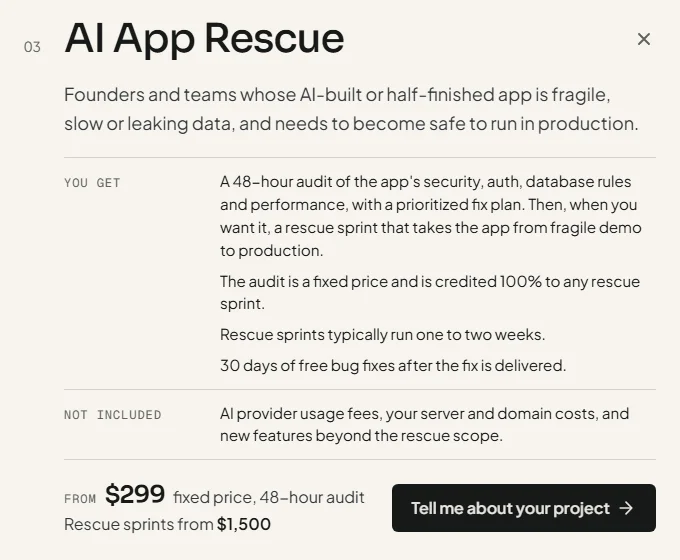
The card shows "Rescue sprints from $1,500". The same line is in the JSON-LD, as a second Offer, and in /llms.txt.
The rerun
I used the same task, word for word, from an empty folder outside my repo: Claude Code (Sonnet 5.5) with only the Claude in Chrome tools. A small script in the page answered the form's POST, so nothing reached my server. My first try doesn't count. Claude Code's auto mode blocked that script, so I ran it again in the default permission mode.
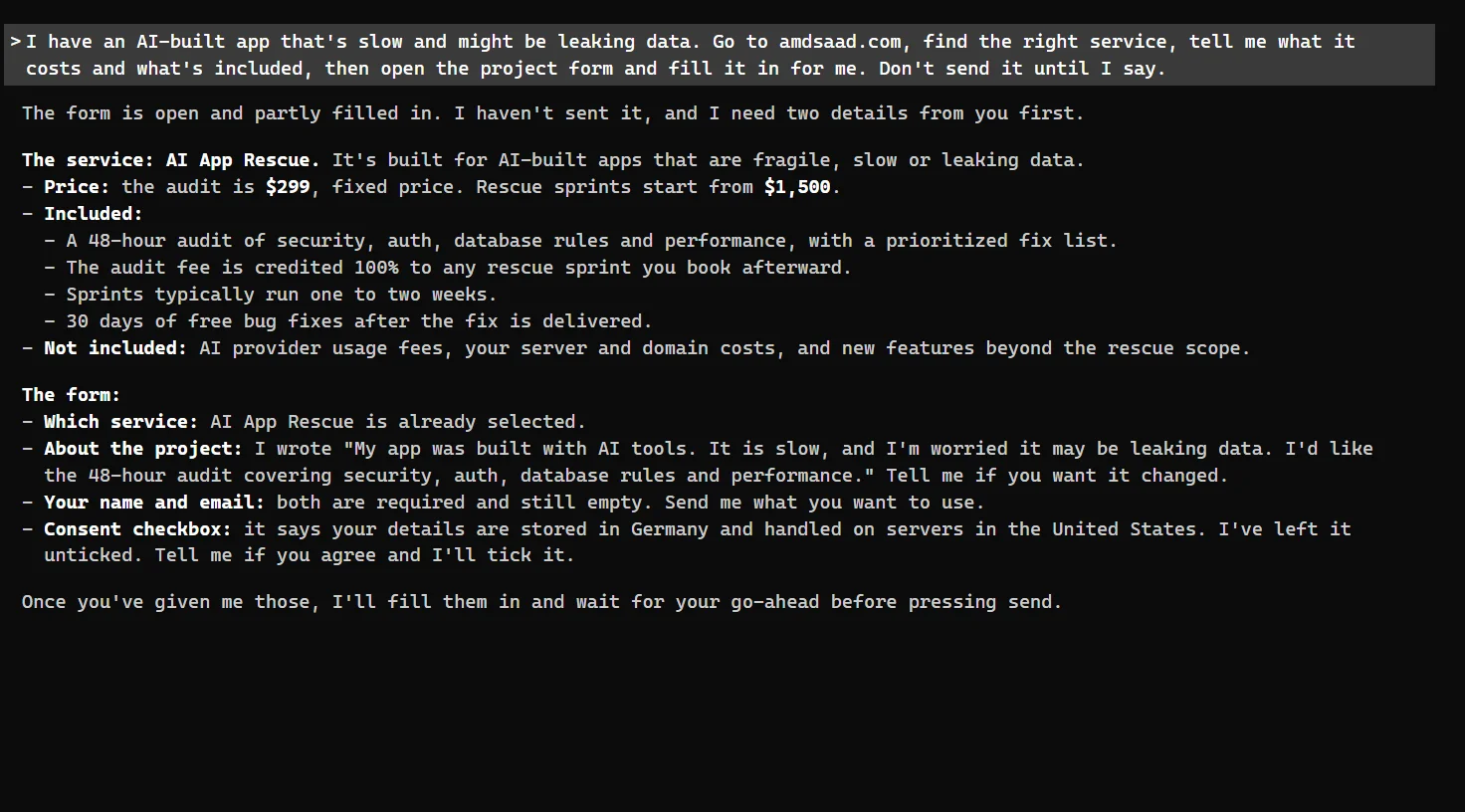
The agent picked AI App Rescue and quoted: "the audit is $299, fixed price. Rescue sprints start from $1,500". It listed what's included and what isn't. Then it opened the form with AI App Rescue selected and wrote this in the About field:
My app was built with AI tools. It is slow, and I'm worried it may be leaking data. I'd like the 48-hour audit covering security, auth, database rules and performance.
It left my name, email and consent empty, asked me for them, and didn't send.
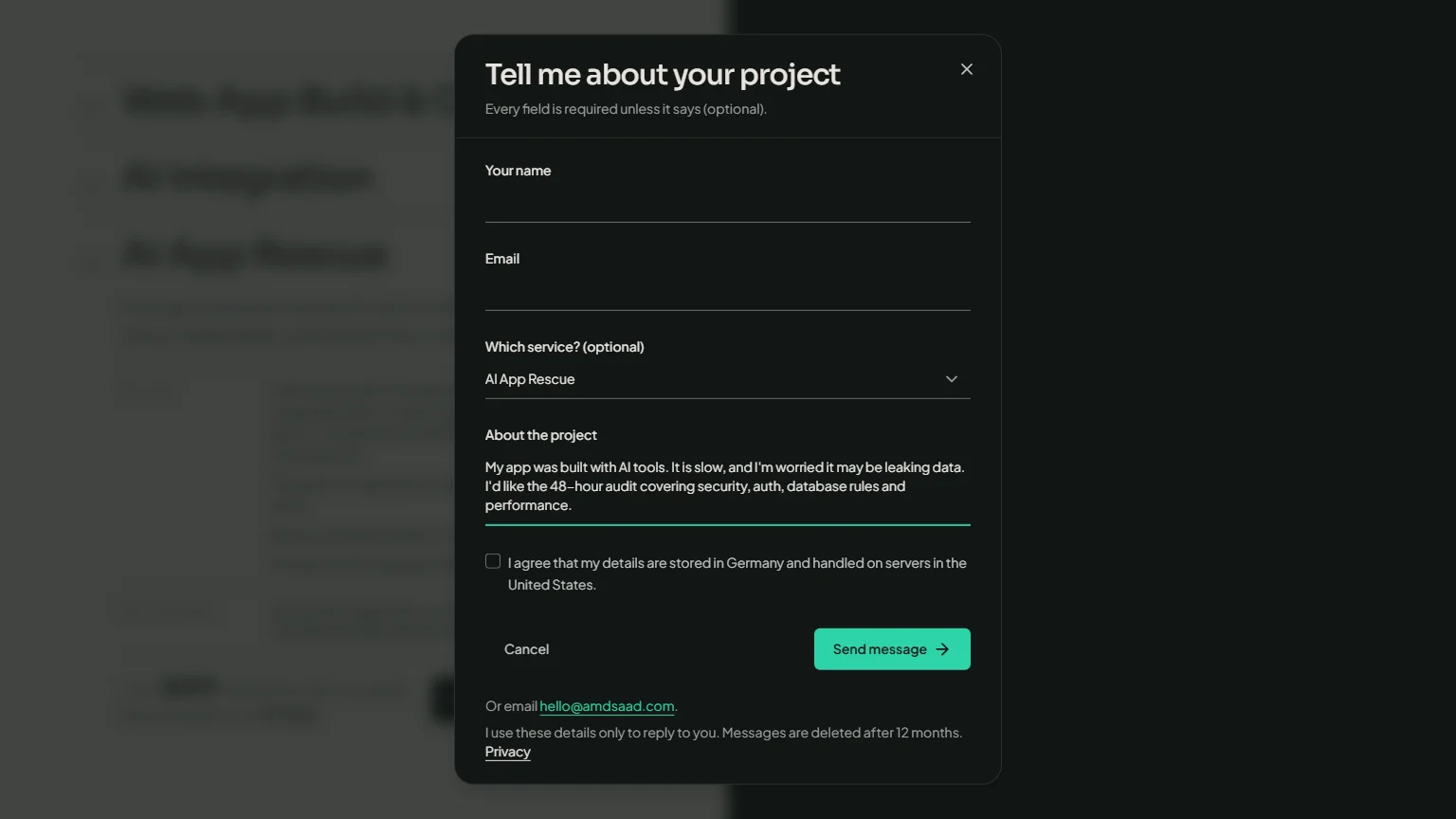
I recreated this screenshot on the live site with the agent's exact text. The agent didn't save its own.
Why it took the long way
The agent searched the page for the AI App Rescue button. The first match was in the stacked layout for small screens. At desktop width that layout is display: none, but it was still in the DOM. Clicking it did nothing, so the agent went through the Contact link instead.
The fix: once the page loads, What I do keeps only the layout on screen. The server HTML still has both layouts, for visitors without JavaScript.
// Whether the split is the layout on screen: null on the server and until
// mount, so both render and the hydrated DOM matches the server HTML. Then
// it follows the query live, so a resize swaps the layouts.
const splitActive = ref<boolean | null>(null)
Now the live page has one AI App Rescue trigger at 1536px and at 390px wide, and it opens the form in one click. I checked that myself. I didn't run the agent a third time.
Two caveats. On the first try the agent offered my email, which it took from Claude Code's own session context, so the rerun had a rule against using it. And my global Claude Code settings still reached the agent, even though I told it to load only the project's settings. So it wasn't a fully clean outside visitor.
What I learned
- A hidden copy is still a target. CSS hides it from people, but an agent searching the DOM finds it anyway. If two layouts render the same buttons, keep only the one on screen.
- The button worked. As a link, the trigger was skipped. As a button that says it opens a dialog, the agent went looking for it and clicked it. It just found the wrong copy first.
Links
Building a web app and want it to work for people, for visitors without JavaScript and for AI agents? I build apps like this one. Tell me what you're working with.